Hosting my portfolio on Cloudflare Pages
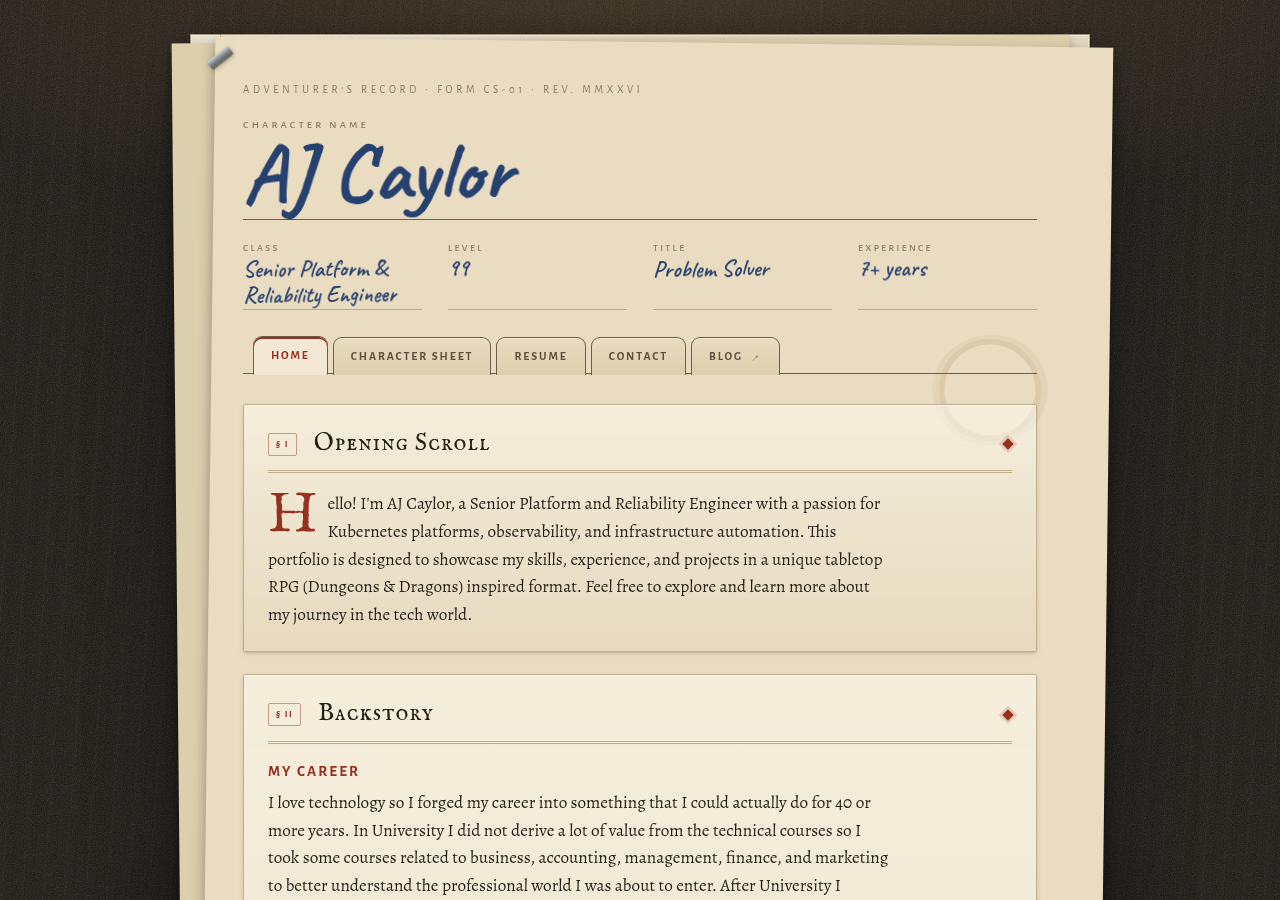
While I had a portfolio website all the way back when I was in school, I never bothered to pay for a domain to host my own. Last year I built a portfolio site styled like a tabletop RPG character sheet. It has a home page, a character sheet with my skills as stats, a resume page, and a contact page. The site is plain HTML and CSS, with five files totaling less than 100 KB. There is no framework or build step. This was early in my days of using AI to generate code. I had an AI model generate the style but I did not like it enough to actually use it.
This year AI models like Fable 5 have been able to create much better frontend design for websites. I recently had an Anthropic AI model (Opus 5) re-do the style for my character sheet site. I purchased the domain acaylor.dev on Cloudflare Pages. Along with the new domain and hosting, I updated the resume and added a PDF download.
Picking a host
This blog runs on AWS Amplify, so I initially planned to use AWS for the portfolio too. I wrote Terraform for an S3 bucket behind CloudFront with a Route53 hosted zone. That required a bucket IAM policy, an origin access control, an ACM certificate in us-east-1, and DNS records for IPv4 and IPv6. The Route53 hosted zone alone would cost $0.50 a month.
I also looked at Cloudflare. Cloudflare Registrar sells domains at cost with no markup, and the free plan on Cloudflare Pages was enough for this site. I bought acaylor.dev there and replaced the AWS Terraform configuration.
The .dev top-level domain is on the HSTS preload list, so browsers require HTTPS. Cloudflare handles the certificate for this site.
Deploying from my workstation
My first plan was a workflow that deploys on every merge to main. My Git server is a self-hosted Gitea instance with its own Actions runner, and it picks up workflows from .github/workflows just like GitHub.
A deploy job would need a Cloudflare API token stored as a secret on the Git server. I wanted to avoid storing deployment credentials there and looked into OIDC, where a runner exchanges a short-lived identity token for cloud credentials. Gitea Actions did not support that when I set this up. Since I only update this site a few times a year, I decided to deploy manually from my workstation and keep the token there.
Managing Cloudflare with OpenTofu
I use OpenTofu with version 5 of the Cloudflare provider to manage the Pages project, custom domains, and DNS records. Some resource names changed in v5, so check the provider version when working from older examples.
data "cloudflare_zone" "site" {
  filter = {
    name = var.zone_name
  }
}

locals {
  hostnames = concat([var.zone_name], var.serve_www ? ["www.${var.zone_name}"] : [])
}

resource "cloudflare_pages_project" "site" {
  account_id        = var.account_id
  name              = var.project_name
  production_branch = var.production_branch
}

resource "cloudflare_pages_domain" "site" {
  for_each = toset(local.hostnames)

  account_id   = var.account_id
  project_name = cloudflare_pages_project.site.name
  name         = each.value
}

resource "cloudflare_dns_record" "site" {
  for_each = toset(local.hostnames)

  zone_id = data.cloudflare_zone.site.id
  name    = each.value
  type    = "CNAME"
  content = cloudflare_pages_project.site.subdomain
  proxied = true
  ttl     = 1

  depends_on = [cloudflare_pages_domain.site]
}
A few details about this configuration:
cloudflare_pages_domainattaches the hostname to the Pages project. The DNS record is managed separately withcloudflare_dns_record. Cloudflare supports the CNAME at the zone apex through CNAME flattening.- The CNAME uses the project’s
subdomainattribute.character-sheet.pages.devwas already taken, so Cloudflare assignedcharacter-sheet-<random>.pages.devto my project. - I registered the domain in the dashboard because I did not want the registration contact details in my OpenTofu state.
- The provider reads the API token from
CLOUDFLARE_API_TOKEN. I do not put it in a tfvars file.
The token needs three permissions, with the zone permissions scoped to just this zone:
| Scope | Permission | Access |
|---|---|---|
| Account | Cloudflare Pages | Edit |
| Zone | DNS | Edit |
| Zone | Zone | Read |
State is local for now. Cloudflare R2 speaks the S3 API, so the S3 backend can point at an R2 bucket later if I want remote state.
Deploying content with wrangler
Once OpenTofu has created the project, I upload the site files using Wrangler. I wrapped that command in a deploy script:
./scripts/deploy.sh            # stage and upload
DRY_RUN=1 ./scripts/deploy.sh  # stage only, upload nothing
The script copies a list of files into dist/ and uploads that directory. This keeps scratch files out of the upload. It also checks for HTML and CSS files that are missing from the list and stops if it finds any, so I do not accidentally leave out a new page.
I also set CLOUDFLARE_ACCOUNT_ID alongside the token. Without it, Wrangler tries to look up the account and needs an additional permission.
Pages also strips .html from URLs. A request for /resume.html gets a 308 redirect to /resume. I left the .html links in the pages so the site still works when opened straight from disk, and put the clean URLs in the Open Graph tags.
Fixing the resume PDF
The resume page had a “Download as PDF” button, but I did not want to have to remember to upload a PDF file each deployment. The site already had a print stylesheet, so I used headless Chrome to print the page to PDF during deployment. That workflow means that I just need to keep the resume HTML page up to date instead of remembering to update the page and upload an appropriate PDF.
With this new approach I am also avoiding putting my phone number out on the web for scammers to scrape.
The rendered PDF looked fine, but I also wanted to check that software could read the text for job applications. It’s a good thing I did that because running it through pdftotext returned this:
S E RV IC E R EC O R D · F O R M C S - 0 2 · R E V. M M X X V I
...
  S     enior Platform and Reliability Engineer with 7+ years of experience designing and
The letter spacing broke up words in the header, and the drop cap separated the first letter of “Senior” from the rest of the word. I also wanted section headings in the PDF that were more appropriate for a resume than “Campaign History” and “Notable Feats”.
I created a separate print/resume.html for the PDF. This file is not deployed as a page. The deploy script renders it with headless Chrome on each deployment, so I do not need to commit a generated PDF. I made a few changes to the formatting:
- A single column with no tables, to keep the extracted text in reading order.
- Standard headings: Professional Summary, Core Technologies, Professional Experience, and Education.
- Liberation Sans in place of the site’s web fonts, which were embedded as Type 3 fonts in the original PDF.
- Disabled ligatures, so letter pairs like “fi” and “fl” remain separate characters.
- Explicit bullet characters. The list markers were missing from the extracted text. Using a
•glyph in::beforeincluded them in the text layer.
ul {
  list-style: none;
  padding-left: 0;
}

li {
  position: relative;
  padding-left: 12pt;
}

li::before {
  content: '\2022';
  position: absolute;
  left: 3pt;
}
The script generates the PDF with this command:
chrome --headless --no-pdf-header-footer \
  --virtual-time-budget=10000 \
  --print-to-pdf=dist/Resume.pdf \
  "file://$PWD/print/resume.html"
After these changes, pdftotext returned the text in order with all 28 bullets intact. The PDF fits on two letter-size pages.
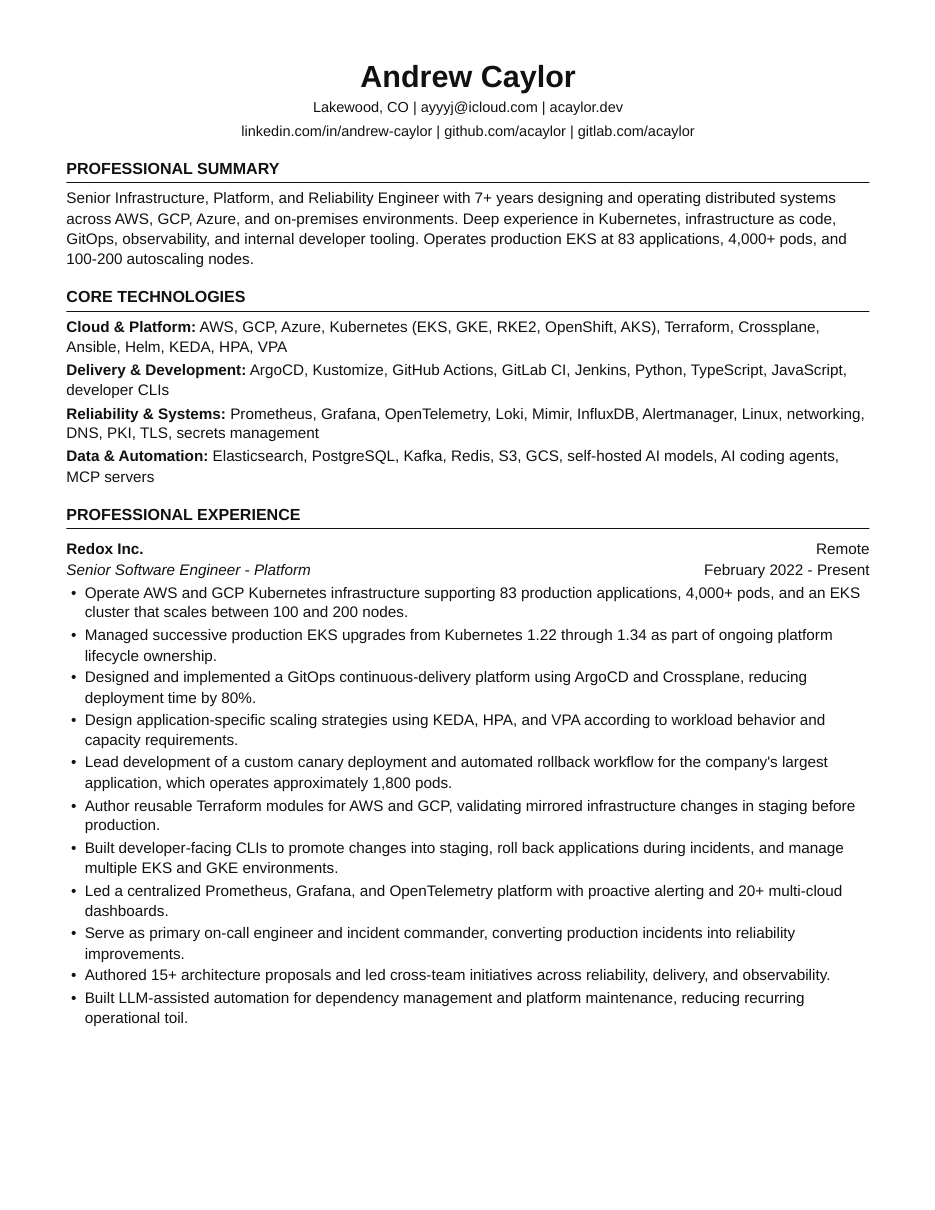
I left my phone number out of the public PDF to avoid having it scraped. All of this information is on my LinkedIn. Normally I do not like to share personal information on the internet.
Updating the site content
I also updated the site to match my current resume. My title is now Senior Platform & Reliability Engineer throughout the pages and in the Open Graph tags used for link previews. I use AJ on the site since that is what everyone calls me, and keep my legal name on the PDF for job applications.
While checking the links, I found that the footer on every page still pointed at an old domain that no longer resolves. Those links are updated as well.
Closing thoughts
Cloudflare Pages covers what I need for this site, and deploying from my workstation is enough for how often I update it. I spent more time on the resume PDF than I expected. Checking it with pdftotext caught problems I had missed when looking at the rendered pages.
Check out the site at acaylor.dev.