Managing multiple AI agents with Herdr
In my AI timeline from earlier this year, I ended with parallel agent orchestration and mentioned a terminal tool named Herdr. At the time I described it as something like tmux for agents. That comparison is accurate but incomplete.
My workflow has moved one step further since the previous post:
parallel agent orchestration → persistent agent workspaces → attention-based monitoring
Herdr is a terminal multiplexer, but more importantly it has first-class support for AI coding agents. It recognizes agents running in its panes, tracks whether they are working, blocked, done, or idle, and rolls that information up into one sidebar. I can run work across several repositories without checking every terminal to find out which agent needs me.
This makes orchestration much easier for me. I can keep track of multiple agents and use a smarter model to act as a shepherd for the herd of agents.
My workflow
My earlier workflow was usually one agent in one terminal. If I wanted to work on another task, I opened another terminal or created another tmux or Zellij pane. This worked, but each session was just a terminal. I had to remember which project was in which pane and periodically visit every agent to see whether it was still working or waiting for a response.
That manual polling becomes distracting once several agents are running. An agent may spend ten minutes implementing and testing a change, while another stops after thirty seconds to ask for permission or clarification. Without a shared view of their state, I either check too often or leave a blocked agent sitting there.
Herdr gives those terminal sessions a hierarchy:
- a workspace represents a project or task;
- tabs separate views such as agents, logs, servers, or review;
- panes contain the real shells and agent processes;
- the sidebar shows the state of agents across every workspace.
The processes remain normal terminal processes. I can run Codex, Claude Code, OpenCode, or another agent CLI. Herdr owns the terminal around it and provides a persistent session, layout, and status view.
Workspace organization
I generally use one workspace per repository. Within that workspace I use tabs or split panes when a task benefits from separate contexts. One pane may contain the primary implementation agent, another can run a review, and a third can hold a development server, tests, or logs.
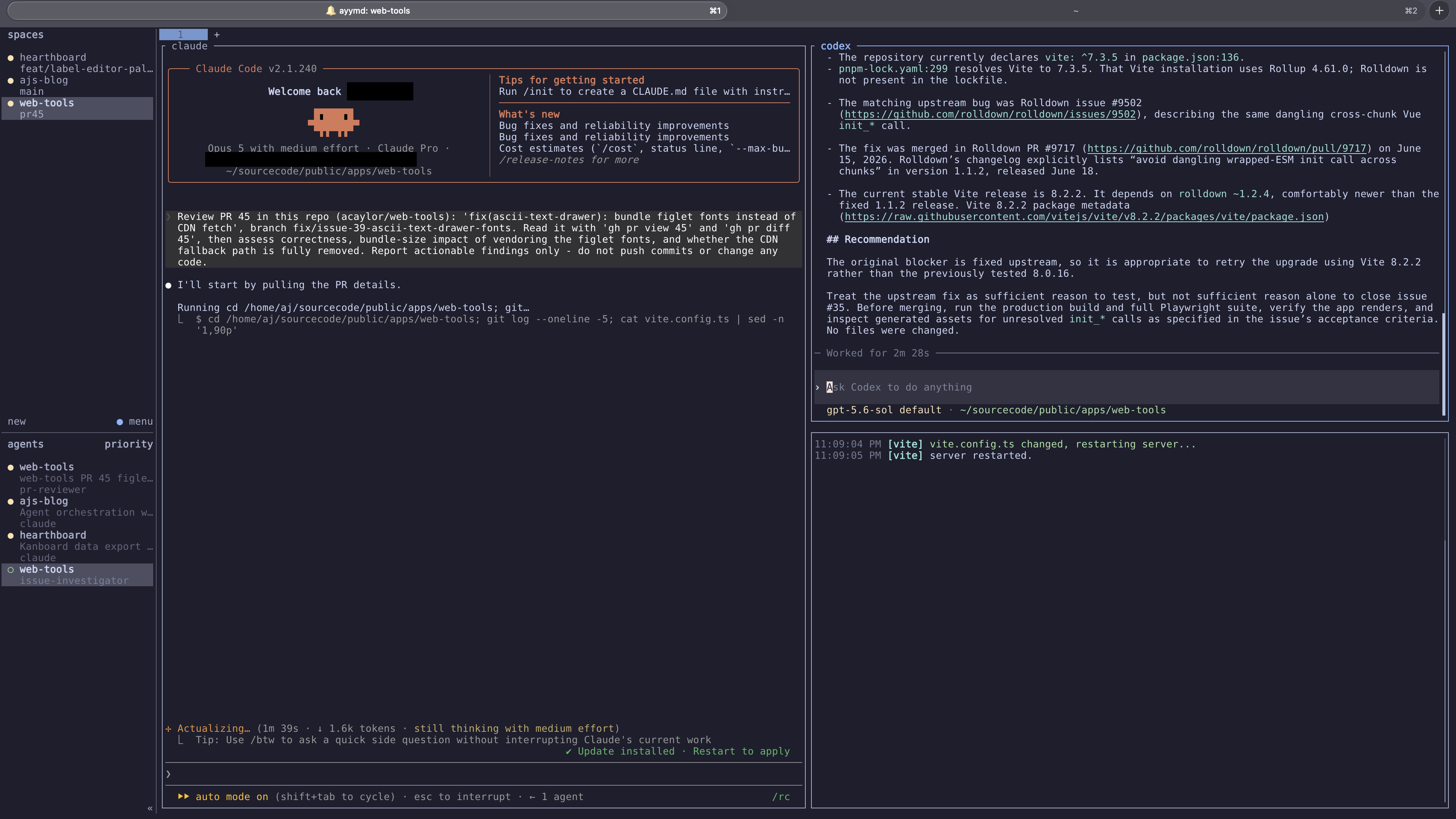
I do not split every task into as many agents as possible. Parallel work is most useful when the jobs have clear boundaries. Research, implementation, testing, and review can often proceed independently.
The repository boundary is also important. Agents working in separate repositories are naturally isolated. For parallel changes in one repository, I can use separate Git worktrees so each agent has its own branch and working directory. Their results still need to converge through a review, but they do not have to compete over the same files while they work.
This makes the workflow closer to coordinating a small team:
- I define a task and decide whether any parts can run independently.
- I give each agent a narrow goal and enough context to verify its work.
- I watch for blocked or completed sessions instead of reading every line as it is produced.
- I review the changes and decide what should be kept, revised, or combined.
The agents can do more work in parallel, but I still own the final result. I work this way because I also use this workflow at my job where I am ultimately responsible for any code that I am shipping to production.
Monitoring the sessions
The agent sidebar is the main reason Herdr has replaced a collection of ordinary terminal windows for this work. I sort it by priority, which turns it into an attention queue. An agent waiting for input is more important than one still working, and an agent that has finished is ready for review. I can move directly between those agents instead of navigating every workspace in order.
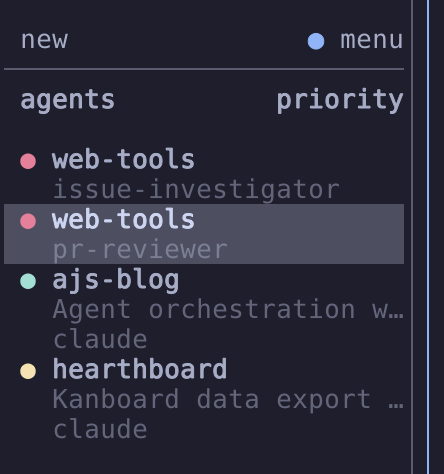
I also show agent names on pane borders. This is useful when one tab has several splits because I can identify each session without moving back to the sidebar. For Claude Code, I added the live terminal title to its sidebar entry, which provides a short view of its current task.
System notifications cover the times when Herdr is not the window I am watching. If an agent finishes or needs input, I get a notification after a short delay. That small delay avoids some noise from agents that only enter a state briefly.
My navigation bindings follow the same model. Left and right move between workspaces, while up and down move between agents. The exact keys are not important, but the distinction is: sometimes I am navigating the project structure, and sometimes I am following the attention queue.
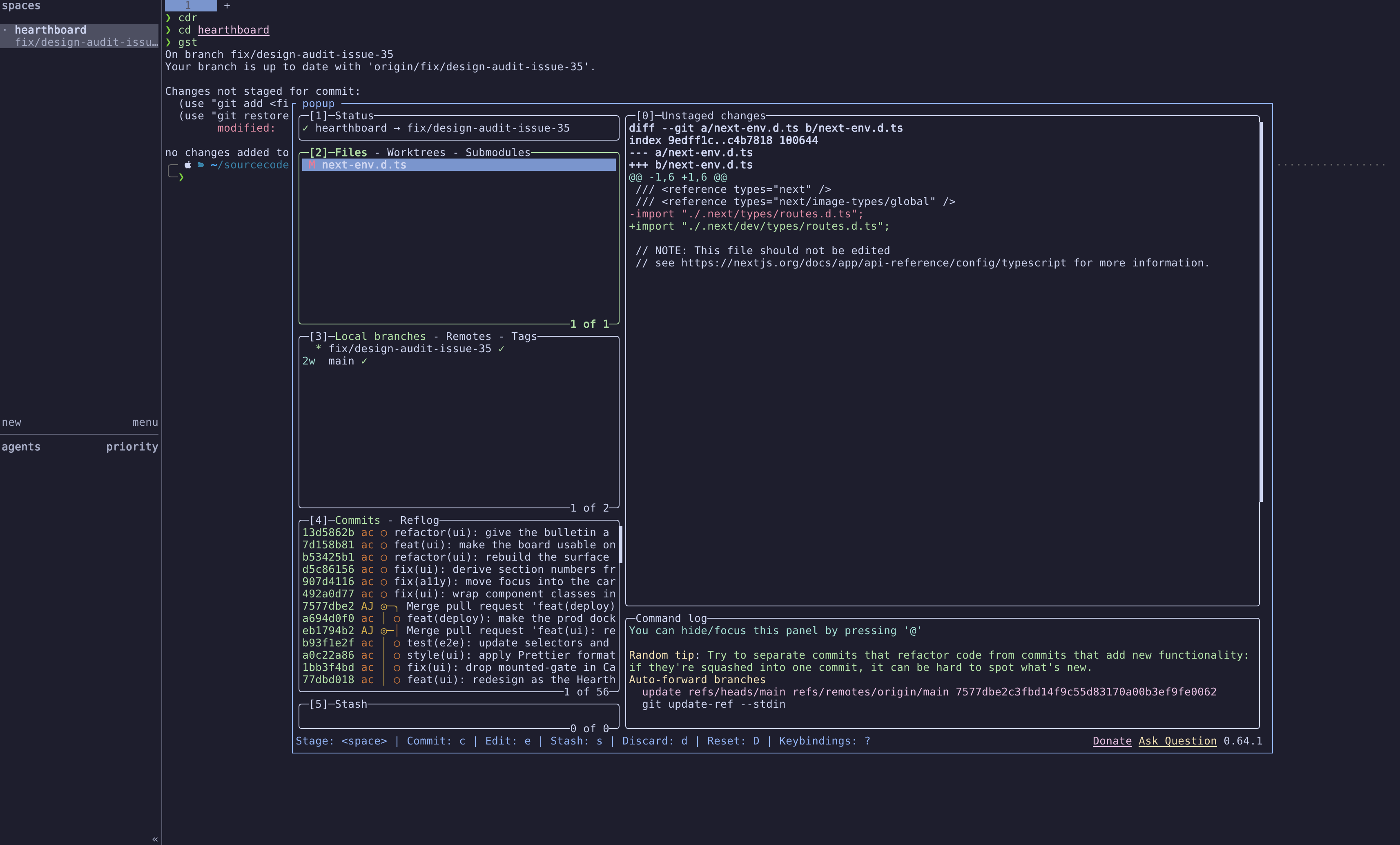
I also added [lazygit][] as a popup. It opens over the current session and disappears when I exit, so I can inspect a branch or diff without dedicating another pane to Git. This fits the way I use Herdr: the main layout holds long-running work, while short inspections can be temporary.
Persistent and remote work
Herdr runs a background server that owns the terminal processes. Closing the client does not stop the agents, so I can detach and return to the same sessions later. This is familiar if you have used tmux, but it matters more when an agent is in the middle of a long implementation or test run.
It also supports attaching to a remote Herdr server over SSH. The separation between server and client is useful here. The remote machine owns the repositories and agent processes, while the local client owns presentation settings, keybindings, and desktop notifications. I keep the compute and working directories on another machine while monitoring the agents from my laptop.
That division was clean until I hit a bug. I bind lazygit to a popup, and over SSH the key combo did nothing. The binding was correct on both machines, and the same key worked when I ran Herdr “locally”. Keybindings resolve on the client by default, but a popup command has to run on the server, and in the version I am using (0.8.2) that handoff does not work when you are opening a remote session. Passing --remote-keybindings server when I attach to a remote herdr session hands keystrokes to the machine that actually runs the command and then the popup works.
With everything set up, I can step away from my laptop without losing terminals and return later to read their full output instead of reconstructing what each session was doing.
Orchestration is an attention problem
The largest benefit of running multiple agents is not that every task finishes several times faster. Some tasks cannot be parallelized, and reviewing concurrent work takes time. The benefit is that I can keep useful work moving while another agent is waiting on a build, exploring an unfamiliar codebase, or reviewing a change.
The limiting resource is my attention (also my time). I need to know which agent is active, which one is blocked, what each one was asked to do, and whether its result is ready to trust. Herdr gives me a live view of all my agent sessions, but all the decision-making is on me.
Closing thoughts
I am still learning where multiple agents provide real leverage and where one focused session is better. What has already become clear is that orchestrating agents requires more than telling Claude to “launch subagents”. I need a way to organize their work, see their state, and return to the right session at the right time. For now Herdr is serving me well.
Disclaimer: I used an LLM to help create this post. Opinions expressed are likely from me and not the LLM.