Self-hosting GitHub Actions runners
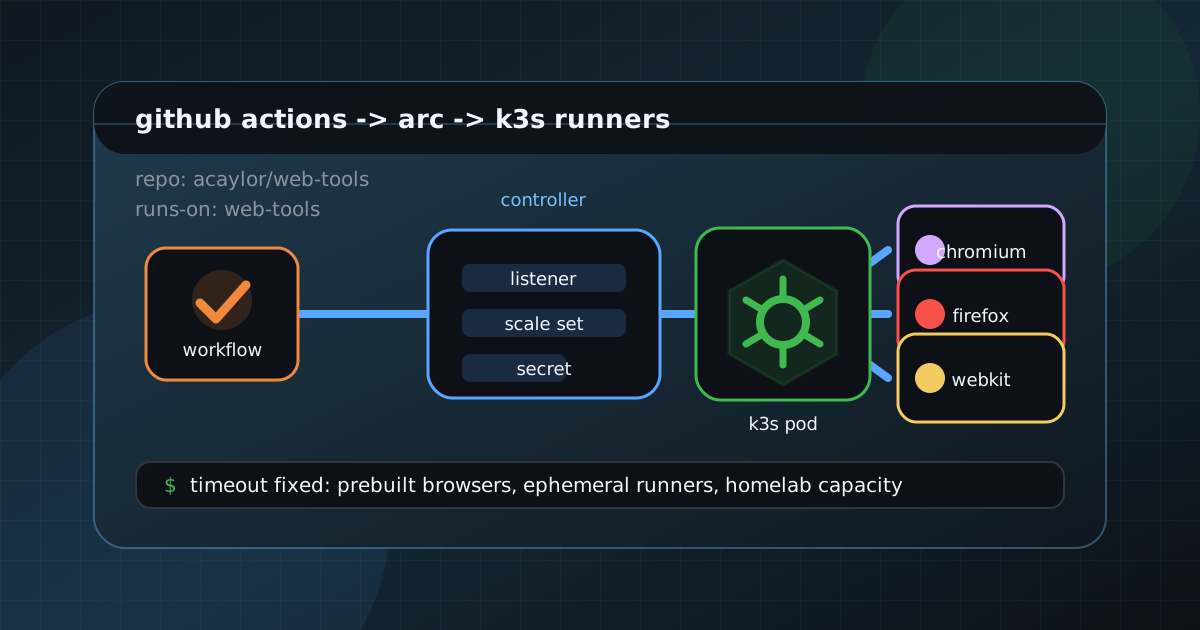
I have a Vue app, web-tools, that runs an end-to-end test suite on every pull request using Playwright. The tests cover three browsers across a sharded matrix, and for a long time runs-on: ubuntu-latest was a perfectly fine answer. Until it was not.
This post is about the specific failure that pushed me to set up Actions Runner Controller on my homelab k3s cluster, the architecture that came out of it, and the container-level quirks the migration kicked up. This story is about the free tier. If you have a paid plan with larger runners available, that path almost always beats a homelab box on raw throughput. More on that at the end. Public projects are able to use the standard actions “runners” for free. For now self-hosted runners are also free. If your project is private, there is a monthly limit to how much time you can run your actions with the standard runners.
The thing that broke
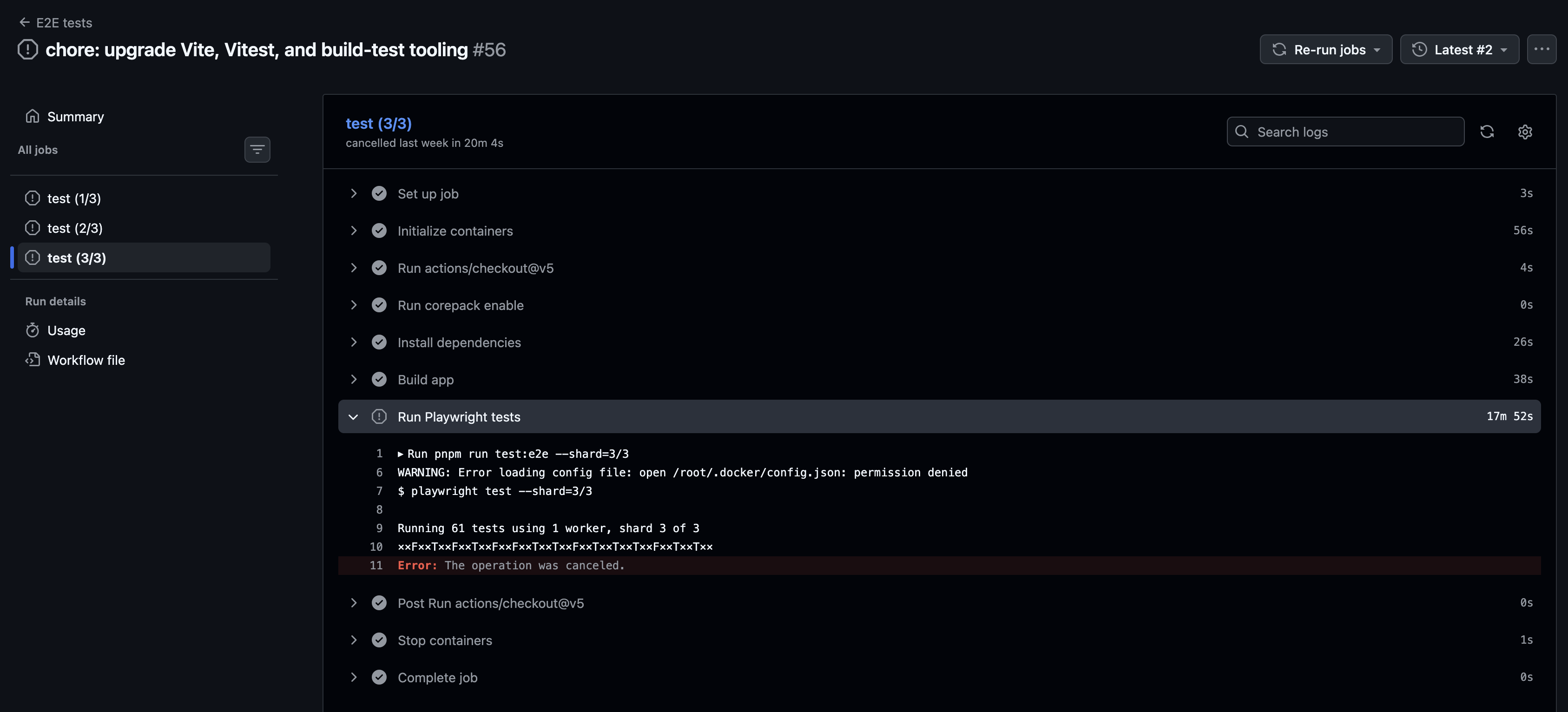
The e2e job kept hitting its 20-minute timeout on ubuntu-latest. The failure was not in a test. Looking at the logs, most of the budget was going to provisioning, not to the tests themselves:
pnpm installfor a Vue project with a long-tail dependency graph.pnpm exec playwright install --with-deps, which downloads and links three browser binaries (Chromium, Firefox, WebKit) plus their system libraries. On the GitHub-hosted runner, with a coldactions/cachelookup, this step alone routinely took six to eight minutes.- A
pnpm buildof the app under test. - The actual sharded test run.
The cache helped, but cache hits are not guaranteed across PRs, and a cache miss on the Playwright browsers ate the entire timeout budget. I could have bumped timeout-minutes to 30 or 40 and stopped looking, but at that point the bottleneck was clearly the runner image. Free-tier ubuntu-latest runners are general-purpose; they have no idea I want a browser test environment.
What I wanted was a runner where the browsers and matching system libraries were already on disk. Playwright publishes exactly that image: mcr.microsoft.com/playwright, tagged per Playwright version. You can use this image in GitHub actions as your build environment.
Note: I discovered after setting this up there was actually a nasty bug in Playwright in versions < 1.60.x that prevented the headless browsers from installing. This was fixed well before this post in the upstream project.
Actions Runner Controller
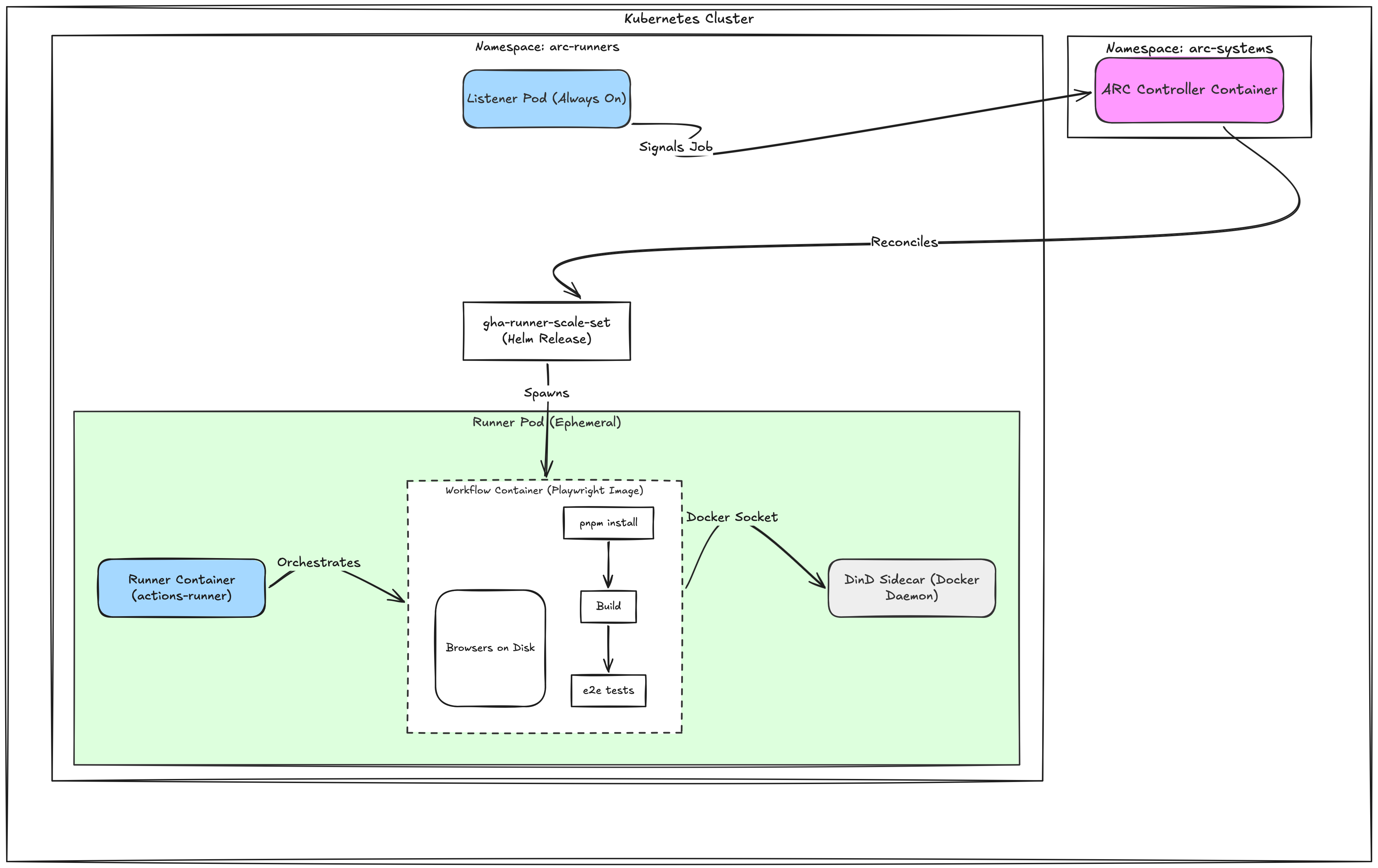
Actions Runner Controller (ARC) is GitHub’s official Kubernetes operator for self-hosted runners. To follow along with this post, you need a general familiarity with Kubernetes, how to deploy apps as Helm charts. The ARC model is two Helm charts working together:
- A controller chart, deployed once. Watches custom resources cluster-wide.
- A
gha-runner-scale-setchart, deployed per runner pool. Each release creates anAutoscalingRunnerSet, a long-lived listener pod that polls GitHub for queued jobs, and ephemeral runner pods that spawn on demand and are reaped after each job.
The “scale set” model is GitHub’s newer pattern and is the one to use.
The shape of a queued job:
I deploy both charts through Argo CD with the multi-source pattern, the same way I run CloudNativePG and most of my homelab containers:
argo-apps/apps/actions-runner-controller/
  app.yaml          # operator chart, sync wave 0
  values.yaml
  templates/
    arc-runners-namespace.yaml   # PSA-privileged namespace for runners

argo-apps/apps/gha-runner-web-tools/
  app.yaml          # one scale set per repo
  values.yaml
  templates/
    externalsecret.yaml          # GitHub App credentials, see below
The
arc-runnersnamespace is labeledpod-security.kubernetes.io/enforce=privilegedbecause runners use Docker-in-Docker.
Self-hosted runners execute workflow code on infrastructure you own, and this setup also gives those jobs Docker-in-Docker plus elevated container options later in the post. GitHub calls out the security risks of self-hosted runners, especially for public repositories and untrusted pull requests. I only use this for repositories and workflows I trust, and I would not point this pool at arbitrary public pull requests without adding much tighter isolation.
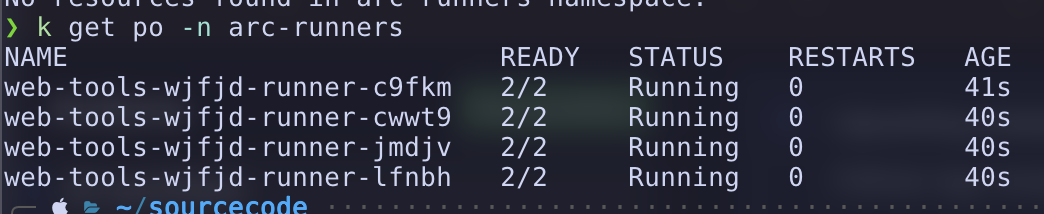
When builds are running there will be pods in the arc-runner namespace:
Credentials: one GitHub App, many installations
Self-hosted runners need credentials. The two options are a personal access token or a GitHub App. Use the App. One App can be installed on many repositories, and each installation gets its own installation_id. Reusing the same app_id and private key across runner pools saves a lot of credential sprawl. GitHub documents the required App permissions by runner scope, but the short version is:
- For a repository runner scale set:
Administration: Read & WriteandMetadata: Read. - For an organization runner scale set:
Self-hosted runners: Read & WriteandMetadata: Read.
Install it on each repository you want a runner pool for. The scale set chart then needs a Kubernetes secret with three keys: github_app_id, github_app_installation_id, github_app_private_key.
For secret storage I use Bitwarden with External Secrets Operator. I keep the GitHub App credentials as a single Bitwarden item per runner pool, with the password field holding a stringified JSON blob:
{
  "app_id": "1234567",
  "installation_id": "98765432",
  "private_key": "-----BEGIN RSA PRIVATE KEY-----\n...\n-----END RSA PRIVATE KEY-----\n"
}
The PEM newlines need to be JSON-escaped; jq handles it in one line:
jq -Rs '{app_id:"1234567",installation_id:"98765432",private_key:.}' < key.pemExternalSecret then parses the blob back into three secret keys with engineVersion: v2:
apiVersion: external-secrets.io/v1
kind: ExternalSecret
metadata:
  name: web-tools-gha-app
  namespace: arc-runners
  annotations:
    argocd.argoproj.io/sync-wave: '-1'
spec:
  refreshInterval: 1h
  secretStoreRef:
    kind: ClusterSecretStore
    name: bitwarden
  target:
    name: web-tools-gha-app
    template:
      engineVersion: v2
      data:
        github_app_id: '{{ (.blob | fromJson).app_id }}'
        github_app_installation_id: '{{ (.blob | fromJson).installation_id }}'
        github_app_private_key: '{{ (.blob | fromJson).private_key }}'
  data:
    - secretKey: blob
      remoteRef:
        key: <bitwarden-item-uuid>
The negative sync-wave makes Argo CD reconcile the secret before the scale set tries to mount it. Without it, the first sync after a rebuild fails until ESO catches up.
The runner scale set
Here is the values file for the web-tools runner pool, with the parts worth explaining:
githubConfigUrl: https://github.com/acaylor/web-tools
githubConfigSecret: web-tools-gha-app

runnerScaleSetName: web-tools

# Pin the controller's ServiceAccount instead of letting the runner
# chart auto-discover it. Auto-discovery hits a bootstrap ordering
# bug on the first sync.
controllerServiceAccount:
  namespace: arc-systems
  name: actions-runner-controller-gha-rs-controller

minRunners: 0
maxRunners: 3

# dind lets workflows use `container:` (e.g. the Playwright image)
# without needing per-job PVCs that containerMode=kubernetes would
# require.
containerMode:
  type: dind

template:
  spec:
    affinity:
      nodeAffinity:
        requiredDuringSchedulingIgnoredDuringExecution:
          nodeSelectorTerms:
            - matchExpressions:
                - key: workload
                  operator: NotIn
                  values: [ai]
    containers:
      - name: runner
        image: ghcr.io/actions/actions-runner:latest
        command: [/home/runner/run.sh]
        resources:
          requests:
            cpu: 500m
            memory: 1Gi
          limits:
            cpu: '2'
            memory: 3Gi
A few things to call out that are bespoke to my setup:
runnerScaleSetName: web-toolsis the value my workflows use withruns-on: web-tools. For this repo-scoped pool I did not need extra runner groups or custom labels.minRunners: 0means the pool sits idle between jobs. A single listener pod is the only running cost.maxRunners: 3is sized to match my matrix (shard: [1/3, 2/3, 3/3]). If you cap below your matrix size, shards queue and fight for capacity.containerMode.type: dindis what makes the Playwright image possible. The runner pod ships a Docker daemon sidecar, and the runner’scontainer:block in the workflow spawns inside that sidecar’s daemon.- The
nodeAffinityblock keeps runners off the GPU node, which has aworkload=ai:NoScheduletaint and an NFS export allowlist that does not include its IP.
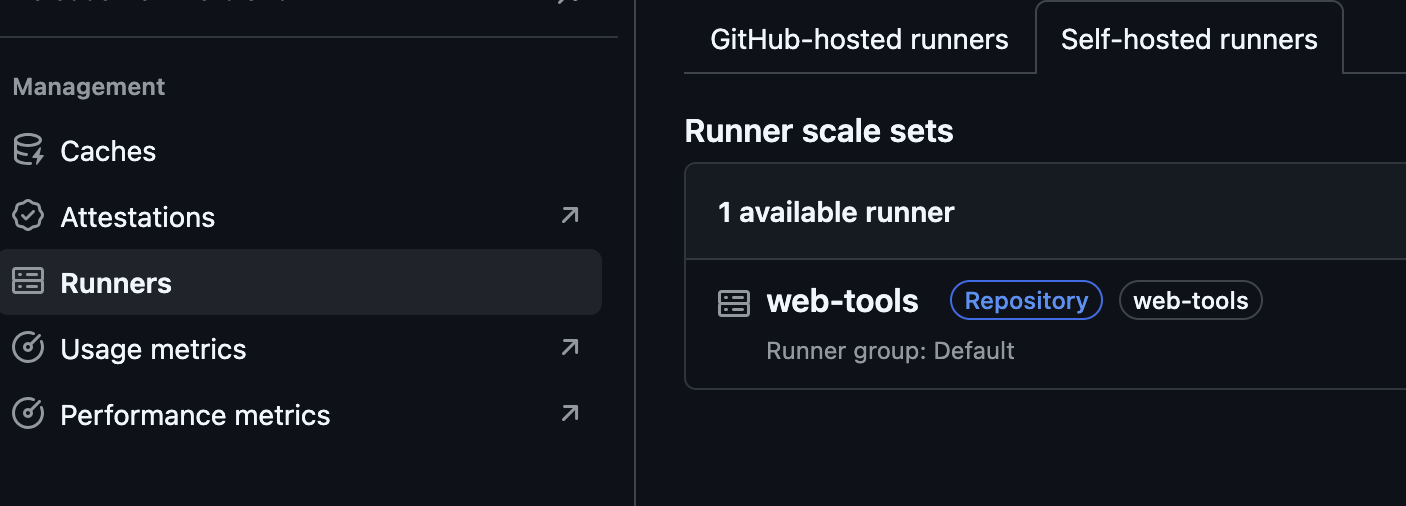
Once the ARC is online, your project should show it as a self-hosted runner:
The workflow side
With the runner pool registered, the e2e workflow becomes much shorter:
jobs:
  test:
    timeout-minutes: 20
    runs-on: web-tools
    container:
      image: mcr.microsoft.com/playwright
      options: --shm-size=1gb --ipc=host --cap-add=SYS_ADMIN
    env:
      HOME: /root
    strategy:
      matrix:
        shard: [1/3, 2/3, 3/3]
    steps:
      - uses: actions/checkout
      - run: corepack enable
      - name: Install dependencies
        run: pnpm install
      - name: Build app
        run: pnpm build
      - name: Run Playwright tests
        run: pnpm run test:e2e --shard=${{ matrix.shard }}
What disappeared, compared to the ubuntu-latest version:
actions/setup-node- the Playwright image already has Node 24 (Long term support release at the time of this post).- A step that parses
@playwright/testout ofpackage.jsonto pick a cache key. actions/cache@v4for~/.cache/ms-playwright.pnpm exec playwright install --with-deps.
All baked into the image. The reduction is the entire point of the migration. With the prebuilt image, a shard goes from cold start to first test in roughly fifteen seconds.
One thing to pin down carefully: the image tag and the lockfile version of @playwright/test must match. If they drift, Playwright errors at launch with browsers were installed by Playwright X.Y.Z, but tests use A.B.C. Hard-pinning the image tag to the resolved version in pnpm-lock.yaml and letting Renovate bump both in tandem is the path that does not bite back later. Renovate’s github-actions manager picks up the container.image reference automatically (Provided you use Renovate. This could also likely work with depend-a-bot).
The :vX.Y.Z-noble and :vX.Y.Z-jammy variants both ship Node 24 in recent Playwright releases. Noble is Ubuntu 24.04; jammy is 22.04. I went with noble since the rest of the k3s cluster is on noble images.
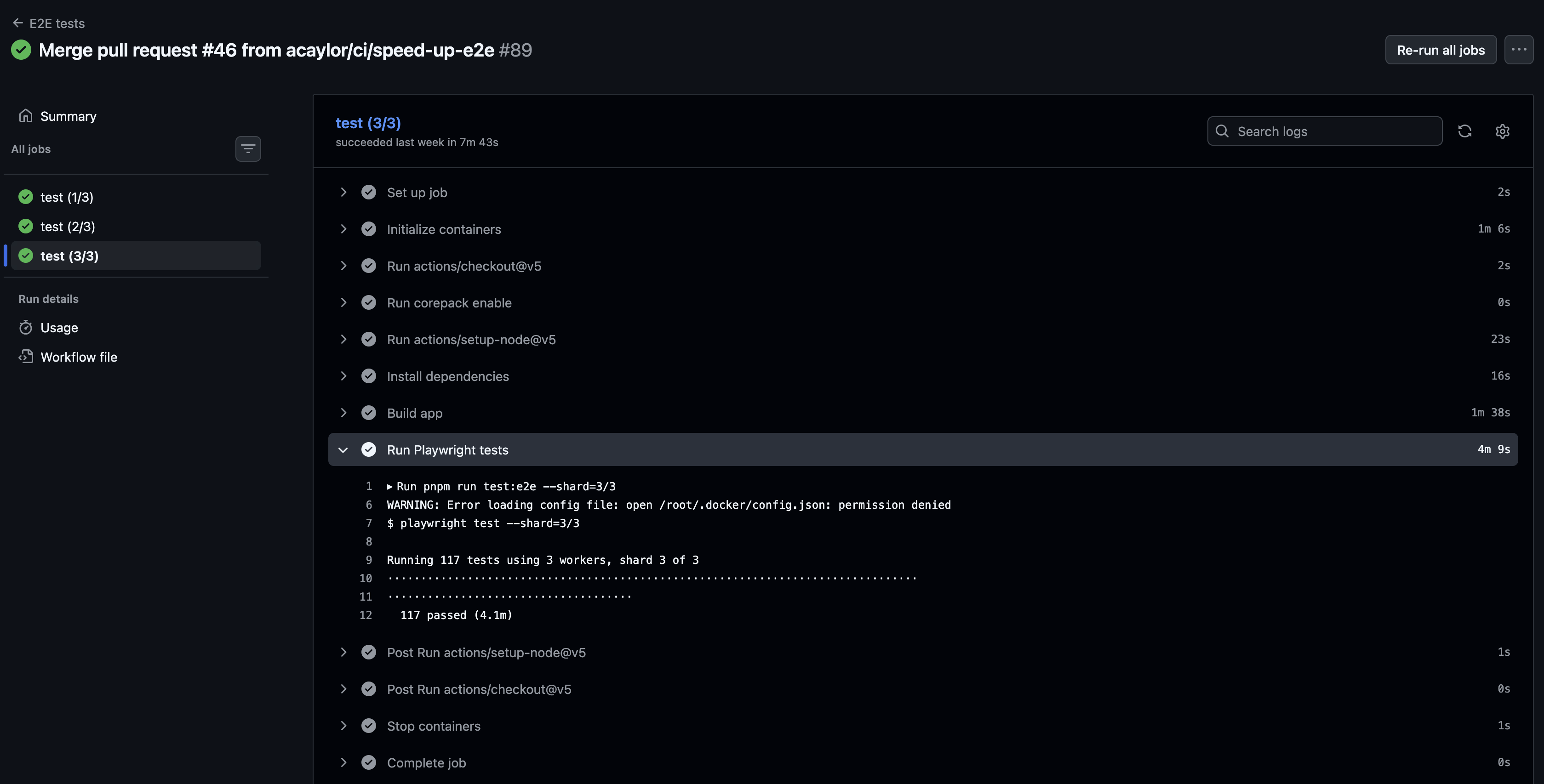
Now the tests execute in a reasonable time-frame without timeouts:
The container-options block has more in it than it looks
This is the part of the workflow that took the longest to get right:
options: --shm-size=1gb --ipc=host --cap-add=SYS_ADMIN
env:
  HOME: /root
Each option fixes a specific failure mode I hit while migrating, in roughly this order:
1. --shm-size=1gb and --ipc=host. Default /dev/shm is 64 MB. Chromium needs more or it crashes mid-navigation with cryptic shared-memory errors. --ipc=host is the same family of fix when multiple workers contend for the same shared-memory segments. Playwright’s Docker docs call out both.
2. --cap-add=SYS_ADMIN. Firefox’s user-namespace sandbox calls unshare(CLONE_NEWUSER). Docker’s default seccomp profile blocks the syscall, so Firefox fails to start with:
Sandbox: CanCreateUserNamespace() clone() failure: EPERM
Error: browserType.launch: Failed to launch the browser process.
The first run after I migrated to the Playwright image looked great until Firefox’s shard ran. Chromium passed; Firefox failed with thirty copies of the same sandbox error, and the run went red. Granting SYS_ADMIN to the workflow container lets Firefox unshare and start. If you cannot add caps in your environment, --security-opt seccomp=unconfined is another workaround for the same seccomp failure, but both options weaken container isolation.
3. env: HOME: /root. With the cap fix in place, Firefox got further before failing differently:
Firefox is unable to launch if the $HOME folder isn't owned by the current user.
Workaround: Set the HOME=/root environment variable in your GitHub Actions
workflow file when running Playwright.
GitHub Actions container jobs override HOME to a workspace path. The Playwright image runs as root, so root does not own the workspace HOME, and Firefox refuses. Setting HOME: /root at the job level points it back at a root-owned directory. This is documented in Playwright’s Docker page, but the warning is the most useful version of it.
To summarize the failure sequence I walked through:
ubuntu-latesttiming out at 20 minutes. Move to self-hosted plus the prebuilt image.- Firefox sandbox
EPERM. Add--cap-add=SYS_ADMIN. - Firefox
$HOMEownership error. Addenv: HOME: /root.
After all three, every matrix shard passed in around three minutes.
The honest disclaimer: paid runners eat this for breakfast
This is the part I want anyone considering the same setup to read before they commit to it.
What I have built is good enough for a personal Vue app on a home Kubernetes cluster. It runs locally on my own hardware, costs me roughly the electricity of one small node, and gives me a place to lift other future runner pools into. For an individual maintainer on the free tier, that is a legitimate win.
At my day job we have GitHub Enterprise with larger hosted runners. Our Playwright e2e suite runs on 64-vCPU instances. The difference is not subtle: those machines complete a job that would take five minutes on a 4-vCPU node in well under a minute, even before you factor in caching layers maintained by GitHub. They also do not need Docker-in-Docker, do not need the SYS_ADMIN capability, and do not need the HOME=/root workaround. The runner image is sized and configured for exactly this workload, and ships matching versions of every browser.
If you have access to larger hosted runners, use them. The marginal hour you would spend hand-tuning a self-hosted pool is almost always better spent elsewhere. The case for self-hosted runners on the free tier is real but narrow: you are pushing into territory the general-purpose ubuntu-latest image was not designed for, and you have hardware sitting idle anyway.
That is the situation I am in for my personal repo, so this setup is staying. If I picked up another repo with the same pattern, onboarding is now:
- Copy the
gha-runner-<repo>directory in the manifests repo. - Edit
githubConfigUrl,githubConfigSecret, andrunnerScaleSetNameinvalues.yaml. - Install the existing GitHub App on the new repository.
- Create a Bitwarden item with the new
installation_idand point theExternalSecretat its UUID. - Push, let Argo CD sync, and update the workflow file to
runs-on: <new-pool>.
Same controller, same chart, same secret pattern. The architecture pays off on the second runner pool, probably not the first.
The source for the app that pushed me into this setup is on GitHub.
Disclaimer: I used an LLM to assist with this work and post. Opinions expressed are my own.