Herdr desktop across three machines
In Managing multiple AI agents with Herdr, I wrote about using Herdr’s terminal interface to organize coding agents, see which ones need input, and keep their sessions running when I disconnect. I have since set up the desktop app across my MacBook, Linux workstation, and Mac mini, and connected from my phone too.
I am making a new post because the desktop app and Herdr TUI use different servers. I discovered that while setting up mobile access: having the TUI installed and running did not give the phone anything it could connect to.
I do prefer the mobile app over the normal TUI but I am really on the fence about whether that feature is enough to keep me on the desktop app.
A new and separate runtime for Herdr
The desktop and mobile apps run terminals through herdr-core, a background runtime controlled by the hc command, rather than the TUI’s server.
Because the two runtimes are separate, an agent running in a TUI pane does not appear in the desktop or mobile app, and resuming a saved conversation in Core starts a new process. If you have something open in the TUI it will not be available in the Desktop app. Still, both runtimes can run side by side on the same machine, so I kept the TUI installed to finish existing sessions while starting new work in Core.
Three machines in one app
My desktop + mobile app now covers three machines:
| Machine | Role |
|---|---|
| MacBook | The desktop app and local terminal work |
ayymd |
My Linux workstation, with Core running agents and terminals |
macdaddy |
My Mac mini, also running Core |
Remote machines connect over SSH. A space belongs to a machine, so opening a terminal in an ayymd space starts it on the Linux workstation with its local repositories and tools. I can switch between the laptop and either remote host in the same window.
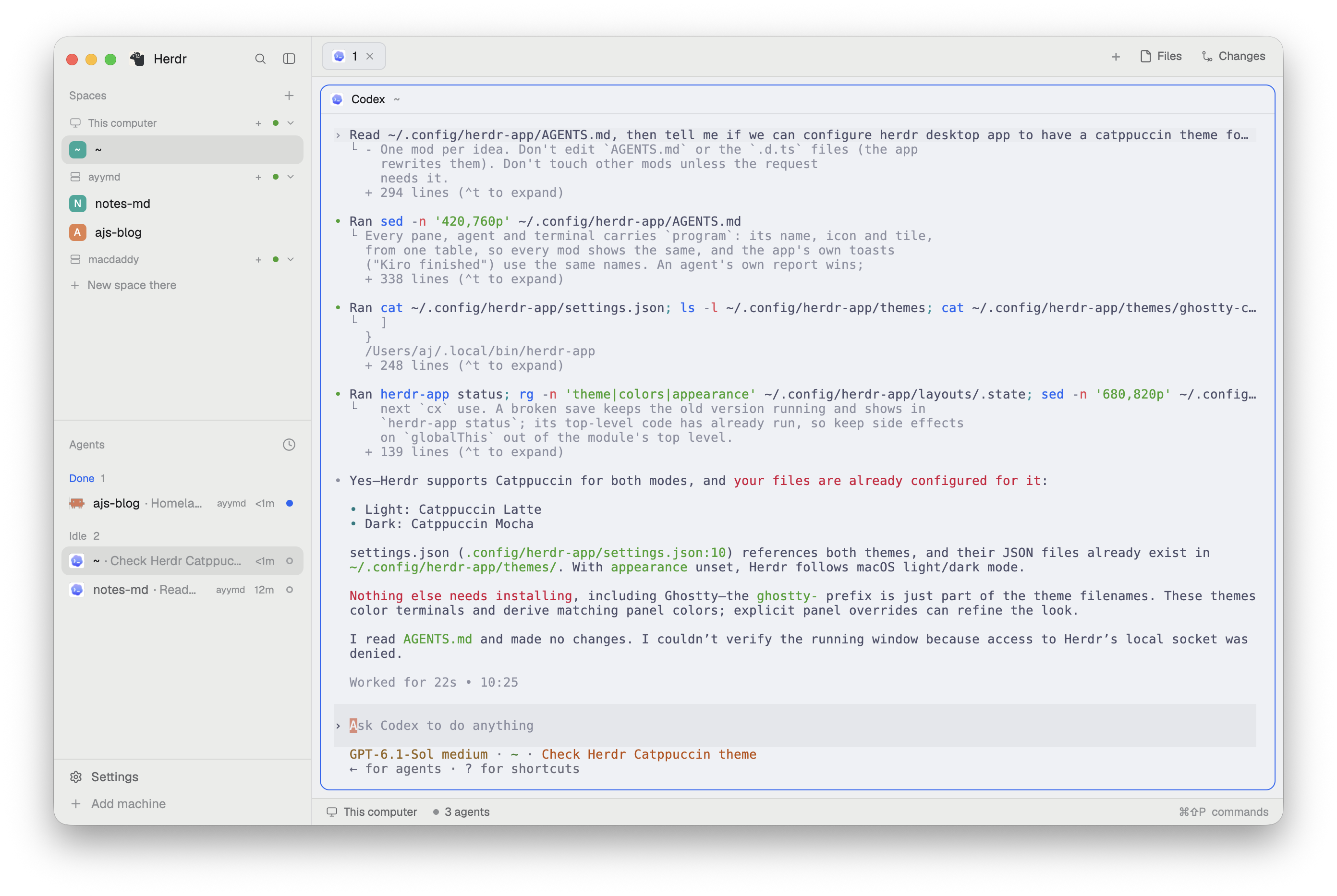
The sidebar collects every agent into one list and shows whether each is working, blocked, done, or idle. That preserves the best part of the TUI workflow. It is easy to spot work that needs input without checking each terminal.
Still a terminal while the agents work
In the dark-mode screenshot, I’m using lazygit in the main pane while the sidebar keeps my coding agents in view. This is how I used the TUI too: an agent can work in one pane while I use a shell in another.
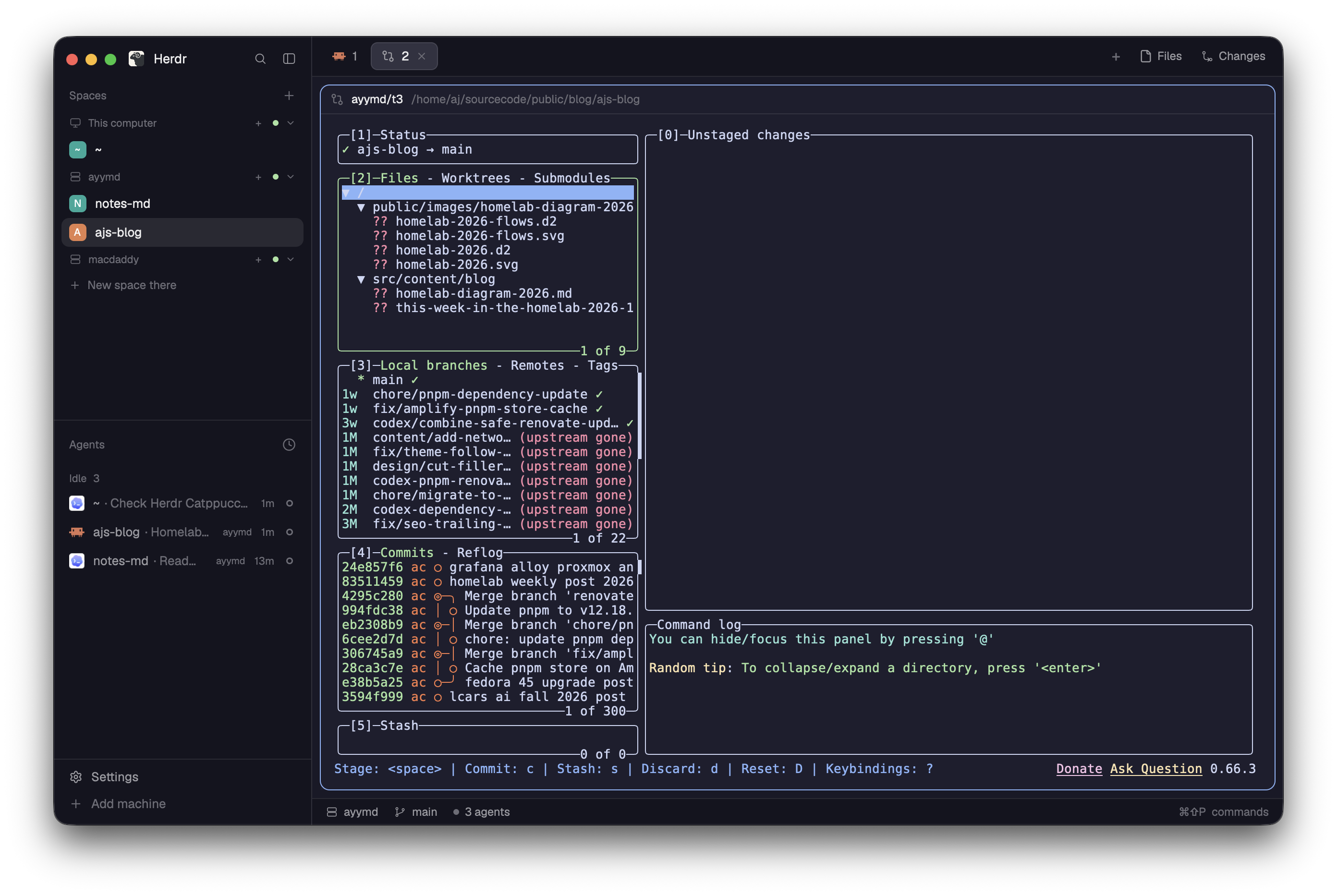
I can inspect a Git diff, run a command, or watch a build without opening another terminal application. Agent panes are full terminals too, running the same CLIs.
Herdr Core owns the processes. Closing the desktop window leaves them running; closing a pane or tab ends those terminals. Work on the remote hosts keeps running when the MacBook sleeps, as long as those hosts and their Core servers stay up. This also applies when you are using the mobile app.
How to install
On macOS I recommend Homebrew and then you can install the Homebrew cask:
brew install --cask herdr-app
open -a Herdr
Add machines
I added the remote hosts over SSH via Settings > Machines > Add machine. Those hosts only need Core, not the desktop app.
I installed Core on ayymd and macdaddy through mise’s HTTP backend, using the official release archives for each platform.
Install only core
The easiest way to install only herdr core is:
curl -fsSL https://releases.herdr.dev/core/install.sh | shMobile app
The mobile app connects to Core over SSH too. I verified the connection to all my machines, which lets me read an agent’s terminal and answer when it needs input without returning to my laptop. I believe they support tailscale but everything works fine for me on the go with my plain WireGuard VPN.
The mobile and desktop apps are just clients for Herdr Core which is actually running everything you see.
Closing thoughts
I enjoyed using the desktop and mobile apps, but they haven’t given me enough reason to switch from the Herdr TUI. The desktop app is a step in the right direction, though. Other tools offer more features for managing coding agents, but Herdr already does what matters most to me: it keeps agents running and makes it easy to see when they’re done or need my input.
The feature I’d most like to see is a browser that both the agent and I can interact with. If a button looks wrong, I’d rather circle it on the page and tell the agent what to change than describe where it is or hunt down the component that renders it.
I’d also like the option to give agents browser and desktop controls. These tools can use a lot of tokens, but when an app doesn’t offer a CLI, API, or MCP server, clicking a button may be the only way for an agent to get something done. I’d keep Herdr’s terminal-first workflow and use those controls when the terminal isn’t enough.